About
The About page contains the information and settings for a Site. You can manage its location, contacts, billing details, grouping, description, escalation grace period and collaborators.
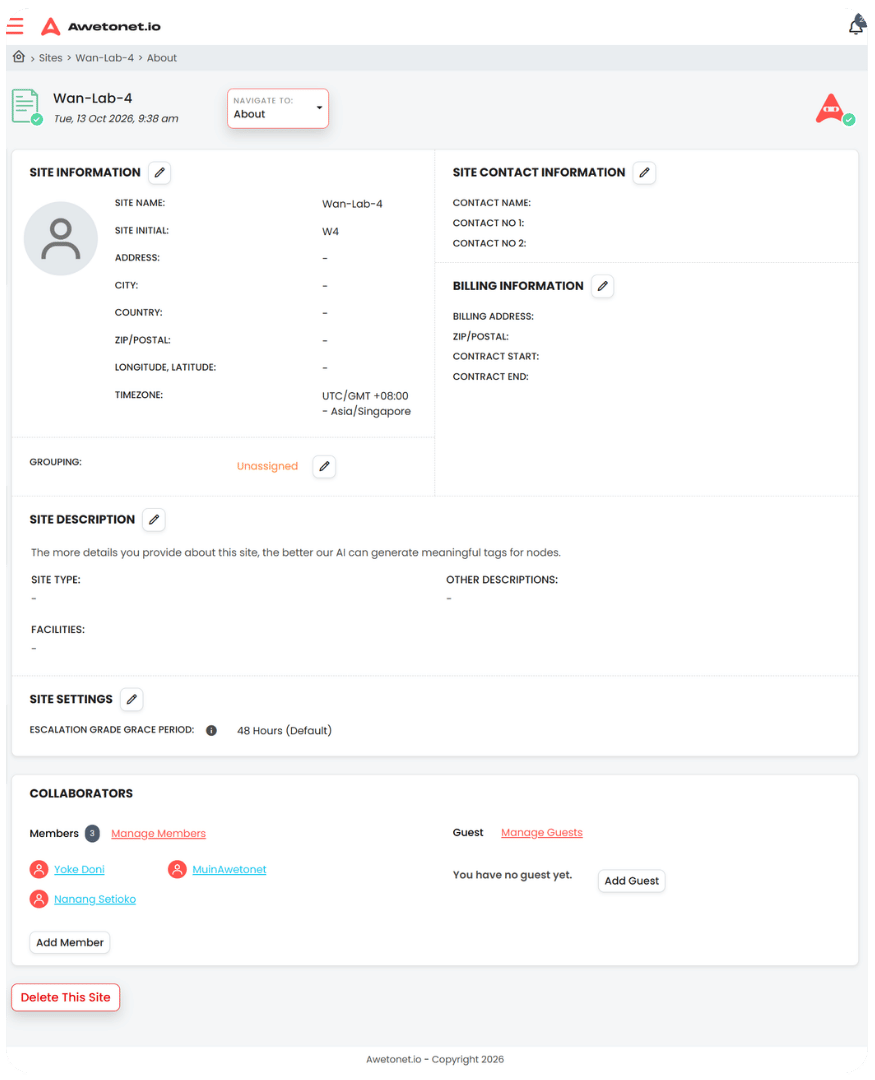
Keeping this information up to date helps your team manage the Site, understand its context and control who can access it.
Site information
Site Information contains the location details for the Site:
- Address
- City
- Country
- ZIP/postal code
- Longitude and latitude
- Timezone
The timezone is important when interpreting events and activities associated with the Site.
Site contact information
Site Contact Information stores the primary contacts for the Site:
- Contact name
- Contact number 1
- Contact number 2
These details help your team identify who to contact when assistance or coordination is required.
Billing information
Billing Information contains the administrative and contract details for the Site:
- Billing address
- ZIP/postal code
- Contract start date
- Contract end date
Keeping these details current helps with contract administration and tracking the Site's service period.
Grouping
Grouping assigns the Site to a Site group.
This helps organise Sites into meaningful groups, making it easier to manage multiple locations.
Site description
Site description provides additional context about the Site:
- Site type
- Facilities
- Other descriptions
Provide as much relevant detail as possible. This information helps Awetonet.io's AI generate more meaningful tags for nodes, making it easier to identify and organise devices based on their context.
For example, details about a hotel's facilities or network environment can help provide useful context for the devices discovered at that Site.
Site settings
Site settings include the Escalation grace period, which defaults to 48 hours.
This setting defines the grace period before an issue is escalated. It acts as an SLA-related threshold for determining when further attention may be required.
Collaborators
Collaborators are the users who have access to the Site. They are organised into two groups:
- Members
- Guests
Managing collaborators allows you to control who can access the Site and work with its network.
Editing Site information
You need the appropriate permissions to modify Site information or perform administrative actions.
If you cannot see an edit icon or an action button, your assigned role may not have the required permissions. Contact the Site owner to request a role with the necessary privileges.
To edit Site information:
- Locate the section you want to change.
- Click the pencil icon.
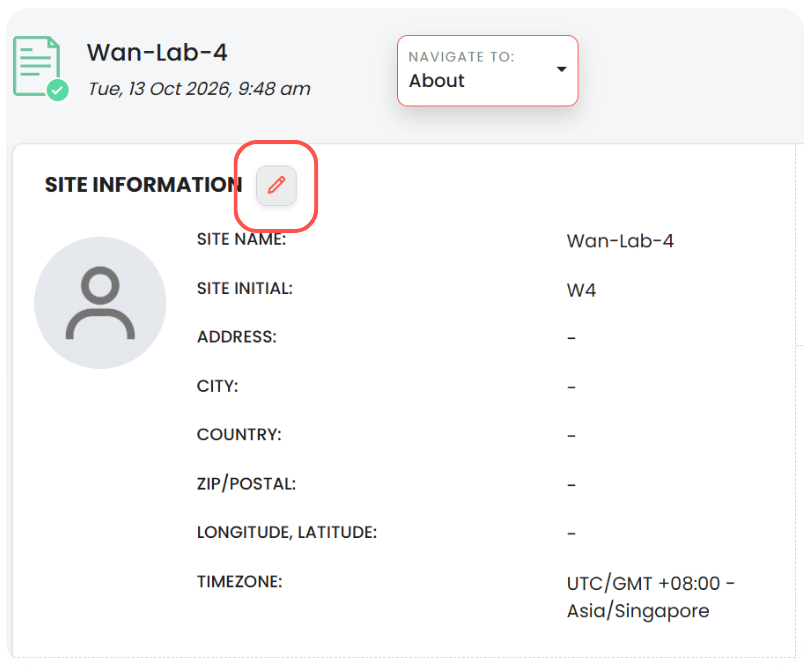
- Edit the available fields.
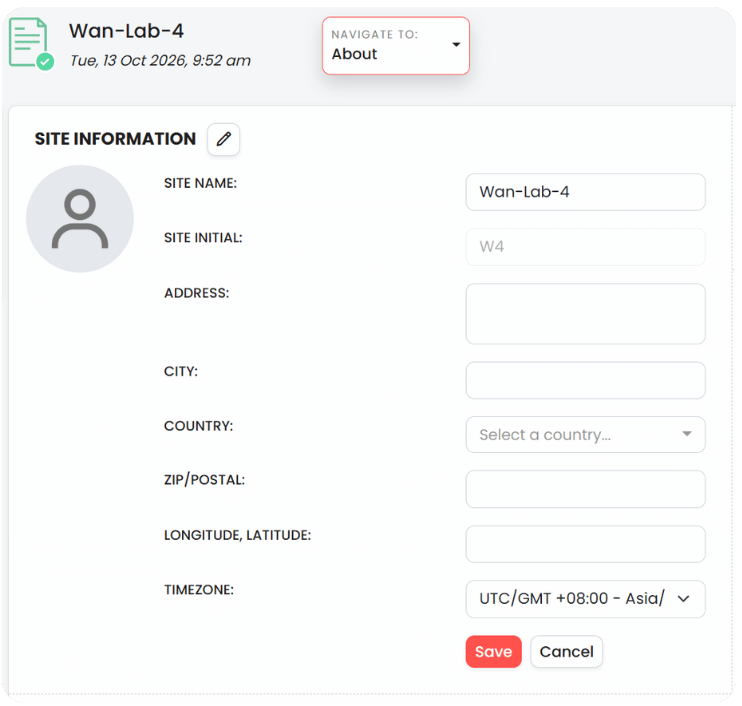
- Click Save to apply your changes.
Managing collaborators
You can invite additional users to access the Site, subject to your permissions.
- To invite members, click Add members.
- To invite guests, click Add guests.
Use the appropriate option based on the type of access the user requires.
Deleting a Site
This action cannot be undone. Make sure you have reviewed and saved any information you need before proceeding.
To delete a Site:
- Scroll to the bottom of the About page.
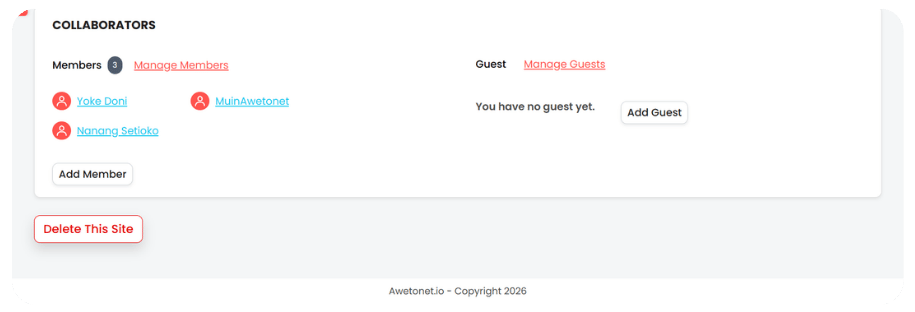
- Click Delete this site.
- Review the confirmation prompt and follow the instructions to proceed.
Once deleted:
- The Site and its associated data are removed.
- The remote Awetobot is automatically unpaired from the Site.
- The Site can no longer be accessed.
If you do not see Delete this site, your assigned role does not have the required permissions. Contact the Site owner for assistance.