Site
A Site represents a location and the network associated with it. Awetonet.io uses Sites to organise the equipment and network operations you manage across different locations.
Your Sites
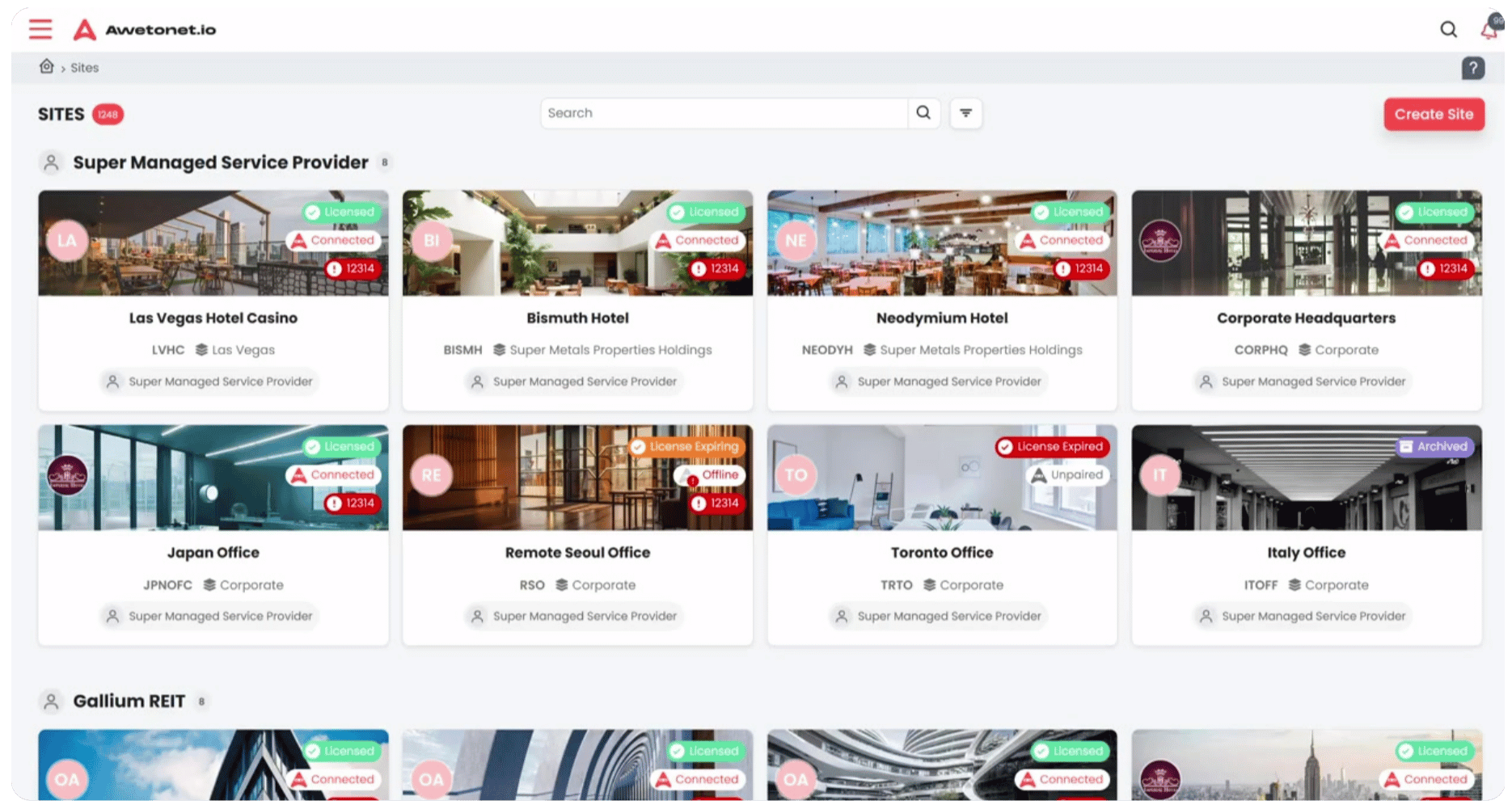
After logging in to Awetonet.io, you will see the Sites you have access to as a collection of cards.
Each card represents a Site. Select a card to open that Site and access its network information and management tools.
The Sites you can access depend on the permissions assigned to your account.
Open a Site
To open a Site:
- Find the Site you want to manage.
- Select its card.
- The Site opens, starting at Overview → Recents.
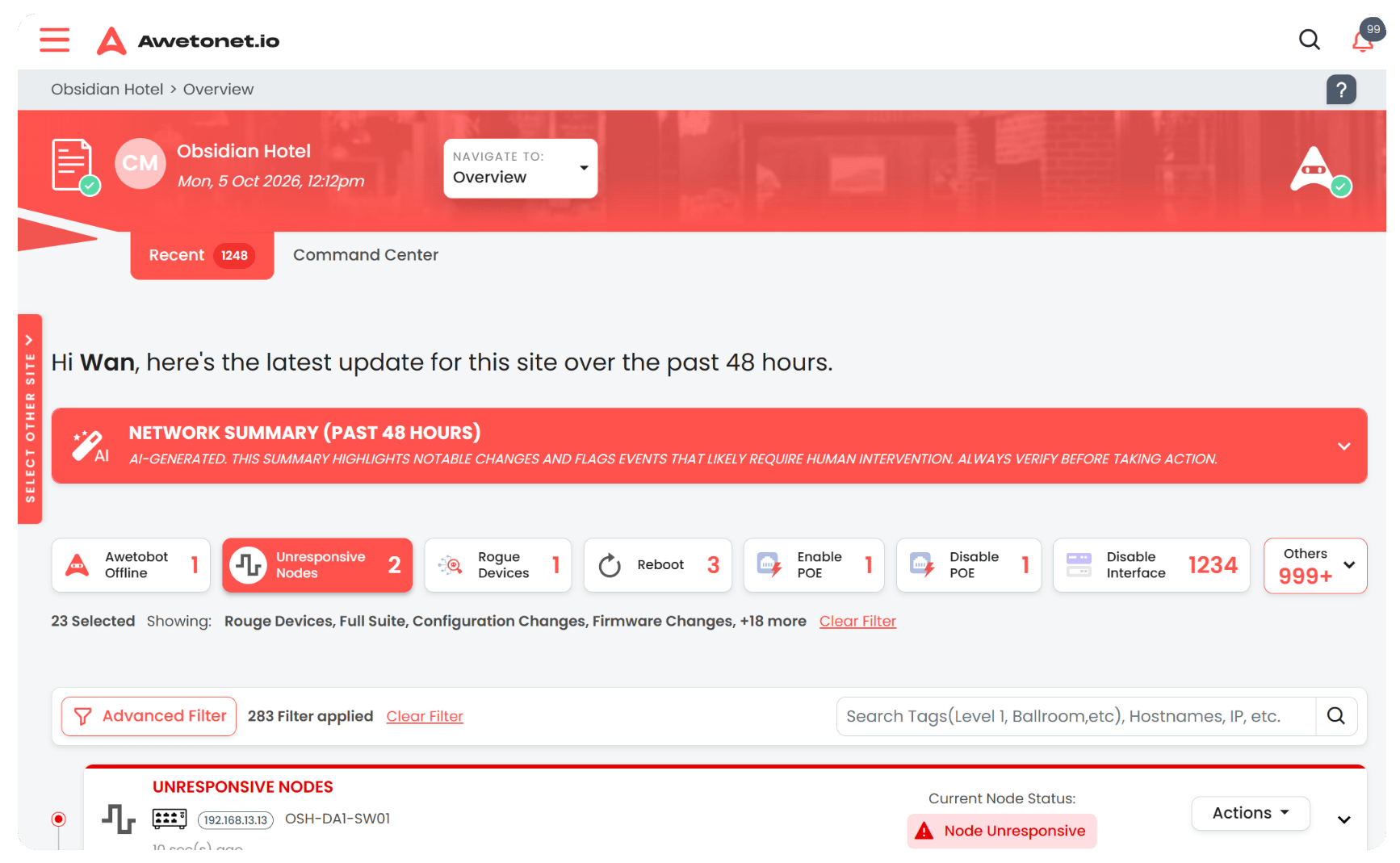
From there, use the Site navigation to access the different areas of the Site.
Site navigation
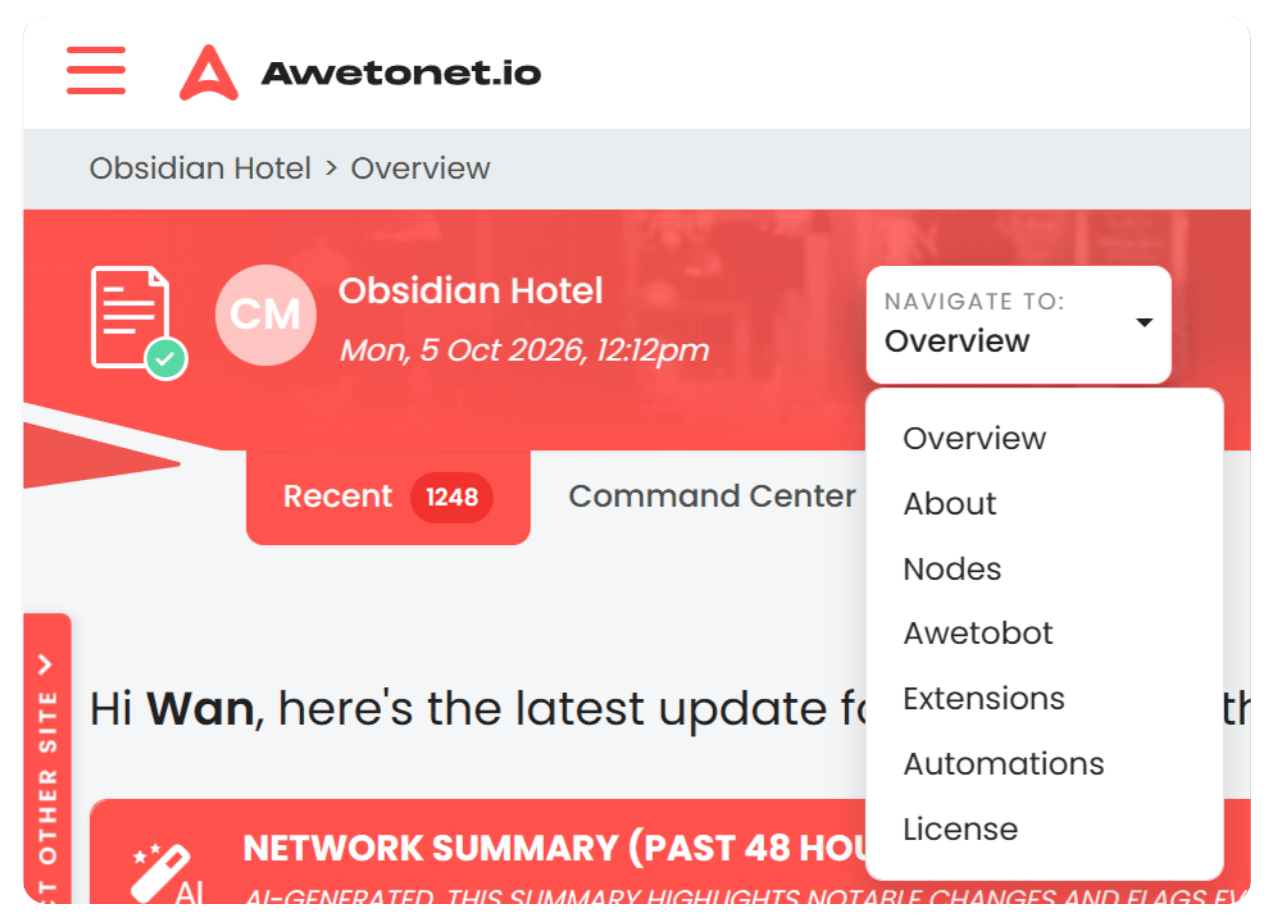
The Site navigation provides access to the following pages:
| Page | Description |
|---|---|
| Overview | View recent Site activity and AI-generated summaries of unresponsive nodes. |
| About | View and manage Site information, contact details, settings and collaborators. |
| Nodes | View licensed and discovered equipment, network connections, tags and network-operation tools. |
| Awetobot | View information about the Awetobot associated with the Site. |
| Awetomations | View the automations available for the Site. |
| License | View the Site's licensing information. |
| Repository | Access the Site's stored network information and configurations. |
The information and actions available within each area depend on your assigned permissions.
Understanding a Site
A Site brings together the information and resources associated with a location.
This includes:
- Nodes — the network equipment associated with the Site.
- Awetobot — the runner that connects Awetonet.io to the network at the Site.
- Site information — location, contact, billing and other administrative details.
- Site settings and access — configuration and the users who can access the Site.
Each area has its own page in this guide, with details on the information available and the actions you can perform.
Permissions
Your account must have access to a Site before you can open it.
Within a Site, your assigned role determines which information and actions are available to you. If you cannot see a page, button or action, you may not have the required permissions. Contact the Site owner to request the appropriate access.